
Bookmarklet usage
The bookmarklet lets a QA reviewer inject a11y-hud into any staging site without touching the site's source code or installing a browser extension. Drag it to the bookmarks bar once — then click it on any page.
What the bookmarklet does
Clicking the bookmarklet runs this code in the page context:
(function () {
  if (window.A11yHud) {
    window.A11yHud.mount();
    return;
  }
  var s = document.createElement("script");
  s.src = "https://cdn.jsdelivr.net/npm/a11y-hud@latest/dist/index.umd.js";
  s.onload = function () {
    window.A11yHud.mount();
  };
  document.head.appendChild(s);
})();
If a11y-hud is already loaded on the page (e.g., you clicked the bookmarklet twice), it calls mount() on the existing instance instead of loading the bundle again.
Path 1 — Pre-built drag-to-bookmark page
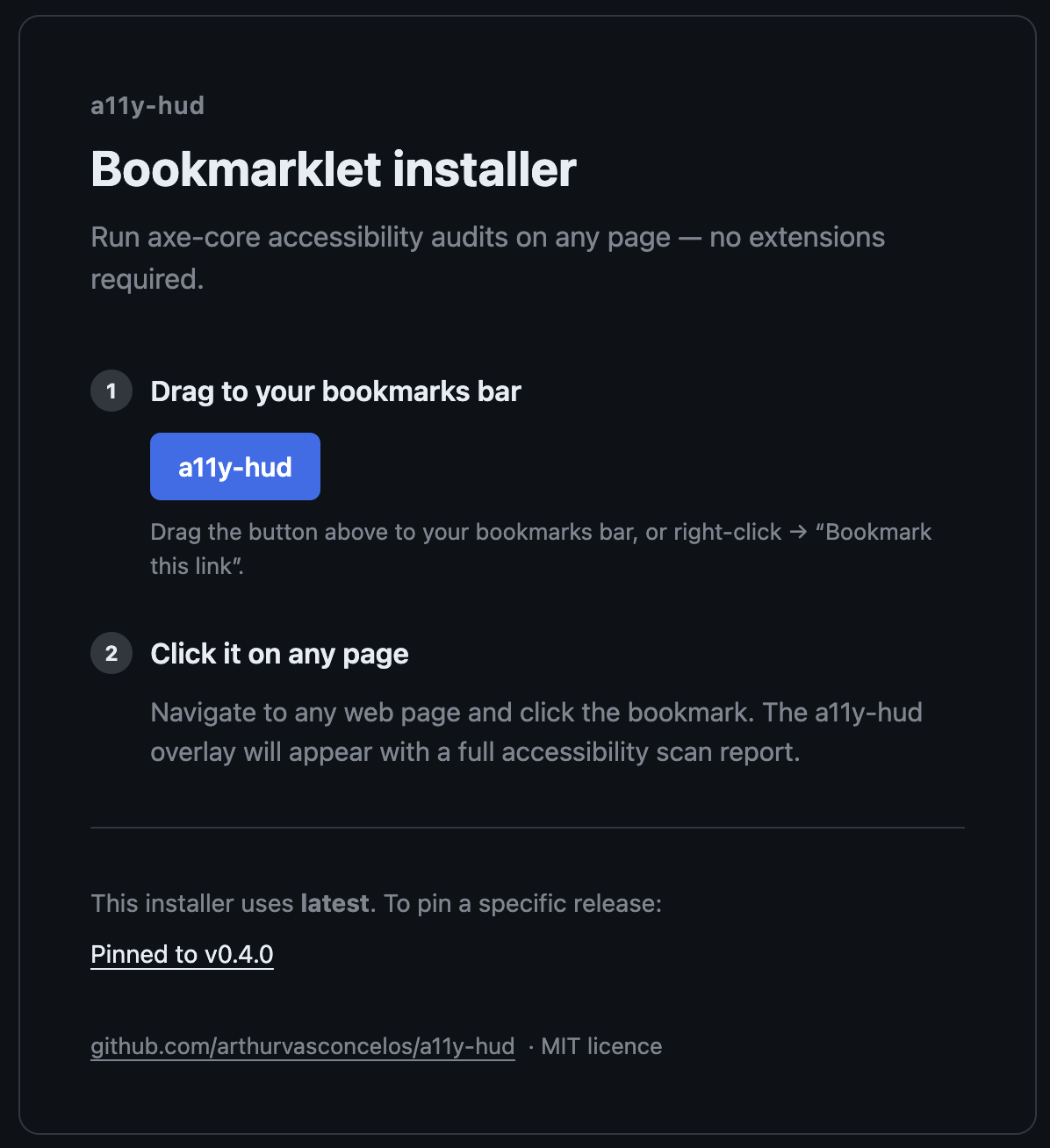
The npm package includes a ready-to-use HTML page at dist/bookmarklet.html. Open it in a browser and drag the link to your bookmarks bar.
To access it after installing the package:
# Open the pre-built page from node_modules
open node_modules/a11y-hud/dist/bookmarklet.html
Or via the CDN (no install needed):
https://cdn.jsdelivr.net/npm/a11y-hud/dist/bookmarklet.htmlPath 2 — Generate a custom bookmarklet URL
import { generateBookmarklet } from "a11y-hud";

// Always loads the latest published version
const url = generateBookmarklet();

// Pin to a specific version (recommended for reproducibility)
const pinned = generateBookmarklet("0.4.0");

console.log(pinned);
// → javascript:(function(){if(window.A11yHud){...}})()
Encode the URL into a link and add it to an internal tools page:
<a href="javascript:(function(){...})()">
  Inject a11y-hud
</a>
Pinning the version
For a stable, reproducible QA workflow, pin the bookmarklet to a specific version:
const url = generateBookmarklet("0.4.0");This ensures every reviewer is running the same version of a11y-hud regardless of when they installed the bookmarklet. Update the version when you upgrade a11y-hud.
CSP considerations
If the staging environment enforces a strict CSP that blocks https://cdn.jsdelivr.net, the bookmarklet script injection will be silently blocked. See CSP compatibility for options.
Distributing to a QA team
The simplest approach is to host a copy of bookmarklet.html on an internal page or share the CDN link:
- Copy
node_modules/a11y-hud/dist/bookmarklet.htmlto your team's internal wiki or intranet. - Team members open the page and drag the link to their bookmarks bar.
- They click the bookmark on any staging URL to inject the HUD.
No build tools, no extension install, no npm account required.
Using the HUD after injection
Once injected, the HUD behaves identically to the npm-installed version:
- Click a violation to highlight the element on the page.
- Use filter chips to narrow by severity, WCAG level, or rule set.
- Click the keyboard icon to activate keyboard mode (tab-order overlay).
- Use the ignore button to mute a rule for the session.
- Click the download button to export results as JSON.
Ignore rules are stored in localStorage keyed to the page origin, so they persist across refreshes on the same staging environment.